
 English
 Español
 Deutsch
 Français
 Português
 Русский
 عربي
عربي Melayu
 Indonesia
 Tiếng Việt
 Filipino


Split-screen modes of mobile digital signage machine screen kiosks dual triple and quad splits
- Installation:
- Screen: Touchscreen; Non-touch screen;
- Operating System: Android; Windows;
- Size: 32''; 50''; 55''; 65''; 75''; 85''; 43''; 49''; 20cmx20cm; 25cmx25cm;
Mobile digital signage kiosks—versatile, portable advertising tools designed for dynamic environments like lobbies, retail floors, or event venues—elevate their functionality with flexible split-screen modes, including dual (2-screen), triple (3-screen), and quad (4-screen) displays. This feature allows the same screen to divide into multiple independent sections, each showcasing distinct content simultaneously. Below is an in-depth look at this capability and its advantages:
Core features of digital signage machine split screen modes
Customizable Layouts: Users can choose from preset or custom split configurations. Dual splits divide the screen into two equal or asymmetric sections (e.g., 70% for video, 30% for text). Triple splits might allocate one large central panel with two smaller side panels, while quad splits create four uniform or varied zones. The kiosk’s software enables drag-and-drop adjustments, letting operators tailor layouts to content type (videos, images, text, or live feeds).

Independent content control: Each digital signage machine screen split section operates independently, supporting different media formats and update schedules. For example, in a dual split, one side can play a promotional video on loop, while the other displays real-time updates (e.g., event timetables or social media feeds) that refresh every 5 minutes.
In high-traffic areas, audiences have limited attention spans—digital signage machine screen split screens enable kiosks to deliver more content without overwhelming viewers. A retail kiosk using a dual split, for example, can showcase a product demonstration video on one side while listing key features (price, specs, availability) on the other, letting customers absorb both visual and textual information at a glance. In event venues, a triple split might display a main stage live feed, a schedule of upcoming performances, and sponsor logos simultaneously, catering to attendees’ diverse needs (watching the show, planning next activities, or identifying partners) in one view.
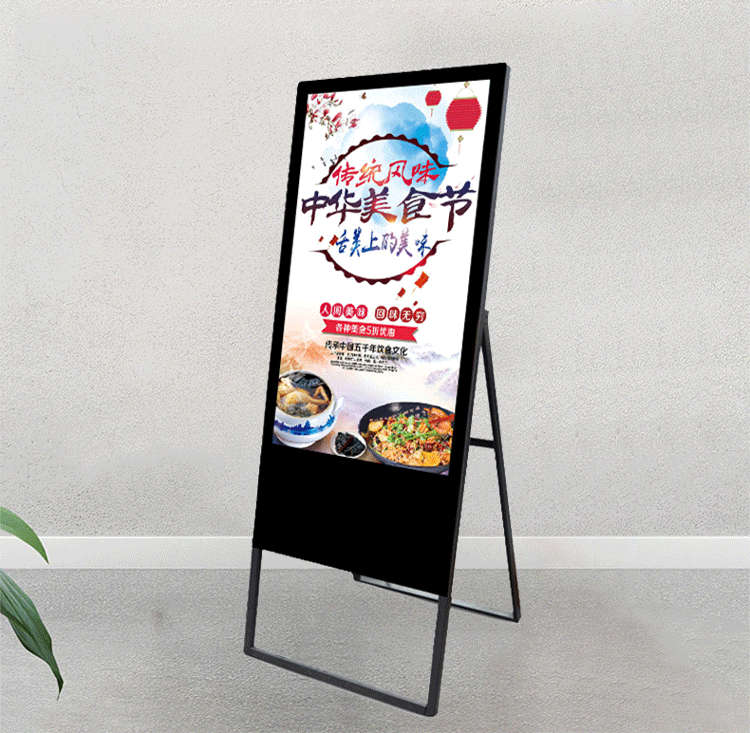
Mobile digital signage machine screen kiosks are often moved between locations (e.g., from a morning trade show booth to an evening gala). Split-screen modes adapt to these shifts: a quad split for product showcases at a trade show can quickly reconfigure to a dual split (promo video + contact info) for a networking event. This agility eliminates the need for separate content setups, saving operators time and ensuring the kiosk remains relevant in any context.

Related Products


water sign advertising screen-2
Customized vertical lcd display folding intelligent electronic water digital sign advertising machine screen

water sign advertising screen-3
Network HD bar stall advertising equipment vertical display floor LCD electronic water sign machine screen

Makipag-ugnayan
Para sa karagdagang impormasyon, huwag mag-atubiling makipag-ugnayan sa amin sa pamamagitan ng email.
Mangyaring magkaroon ng kamalayan na ang aming mga tugon sa iyong mga katanungan sa pamamagitan ng email ay maaaring mapunta minsan sa iyong spam folder. Kung nagpadala ka sa amin ng email ng pagtatanong ngunit hindi ka nakatanggap ng tugon sa pamamagitan ng telepono o Whatsapp, inirerekomenda naming suriin ang iyong folder ng spam. Salamat sa iyong pag-unawa at pasensya.


