
 English
 Español
 Deutsch
 Français
 Português
 Русский
 عربي
عربي Melayu
 Indonesia
 Tiếng Việt
 Filipino


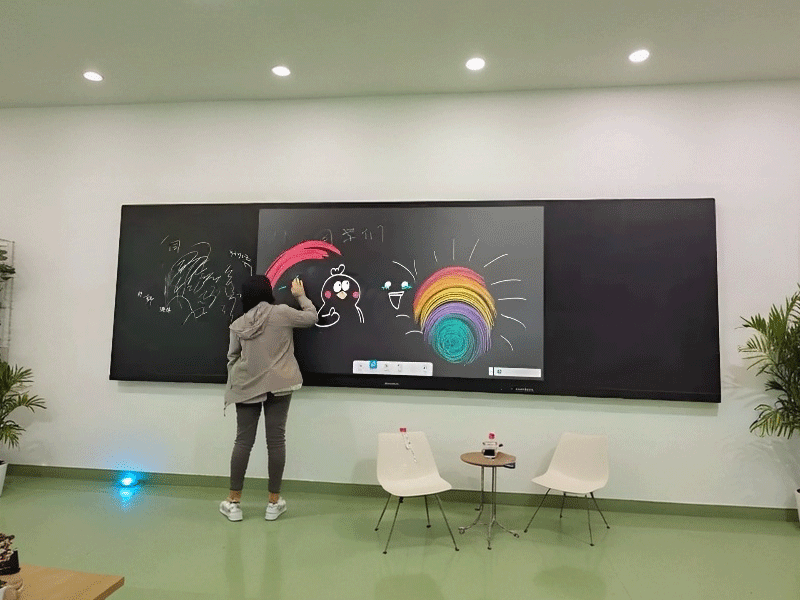
Lcd led digital intelligent 4k touch screen interactive panel whiteboard nano smart classroom blackboard
- Installation:
- Screen: Touchscreen;
- Operating System: Android; Windows; Dual system;
- Size: 50''; 55''; 65''; 75''; 85''; 98''; 100''; 110'';
Pag-troubleshoot at Pagpapanatili: Mga Solusyon para sa Touch Failure at Mga Isyu sa Paglipat ng System
1. Touch Malfunction Diagnosis
1.1 Mga Pangunahing Pagsusuri
Hakbang 1: I-verify ang pagiging tugma ng screen protector (Inirerekomenda ng OEM)
Hakbang 2: Suriin ang stylus na baterya (green LED = normal)
Hakbang 3: Hard reboot (hold power 10s)
1.2 Advanced Diagnostics
Symptom | Possible Cause | Solution |
Dead zones | Capacitive grid damage | 25-point calibration → Replace |
Stylus works/finger fails | Palm rejection enabled | Settings → Touch → Disable "Palm Rejection" |
Intermittent touch | 2.4GHz interference | Switch to 5GHz WiFi |

Component | Lifespan | Replacement Guide |
Stylus tip | 500k clicks | Twist counterclockwise → Snap new tip |
Cooling fan | 3yrs/20k hours | Professional service required |
Battery | 5yrs | Contact authorized service |
Requirement: Active internet connection

Related Products

teaching nano blackborad-7
Intelligent classroom touch screen smart nano 75 86 98 pulgada pagtuturo interactive panel blackboard

teaching nano blackboard-5
School teaching training learning interactive 75-86 inch smart LCD LED nano touch screen e-blackboard

teaching nano blackboard-2
Pagtuturo sa silid-aralan ng oem 65 pulgada 20 puntos touch screen nano interactive blackboard

nano teaching screen-14
Traditional blackboard and intelligent terminal teaching nano-screen


teaching nano blackboard-4
School 75 86 inch nano interactive smart teaching interactive touch screen blackboard
Makipag-ugnayan
Para sa karagdagang impormasyon, huwag mag-atubiling makipag-ugnayan sa amin sa pamamagitan ng email.
Mangyaring magkaroon ng kamalayan na ang aming mga tugon sa iyong mga katanungan sa pamamagitan ng email ay maaaring mapunta minsan sa iyong spam folder. Kung nagpadala ka sa amin ng email ng pagtatanong ngunit hindi ka nakatanggap ng tugon sa pamamagitan ng telepono o Whatsapp, inirerekomenda naming suriin ang iyong folder ng spam. Salamat sa iyong pag-unawa at pasensya.


